Turn on suggestions
Auto-suggest helps you quickly narrow down your search results by suggesting possible matches as you type.
- Pandora Community
- :
- Support
- :
- Desktop
- :
- Premium Session Ad Doesn't Load
Options
- Subscribe to RSS Feed
- Mark Post as New
- Mark Post as Read
- Float this Post for Current User
- Bookmark
- Subscribe
- Mute
- Printer Friendly Page

- Mark as New
- Bookmark
- Subscribe
- Mute
- Subscribe to RSS Feed
- Permalink
- Report Inappropriate Content
On my chrome OS desktop I allowed ads for the website and whenever I try to get the prmium with a ad it never loads. The following video will tell you more.
mod edit: changed title for clarity
1 Solution
Accepted Solutions


- Mark as New
- Bookmark
- Subscribe
- Mute
- Subscribe to RSS Feed
- Permalink
- Report Inappropriate Content
Hi there, @hunter2. 👋
Are you hitting your Premium Session limit?
Do you receive any error messages when this happens?
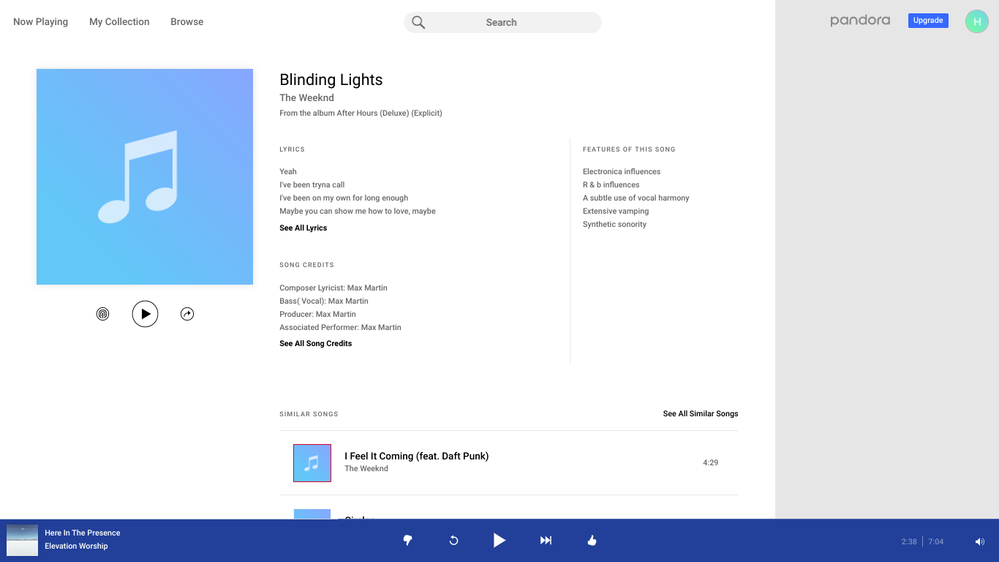
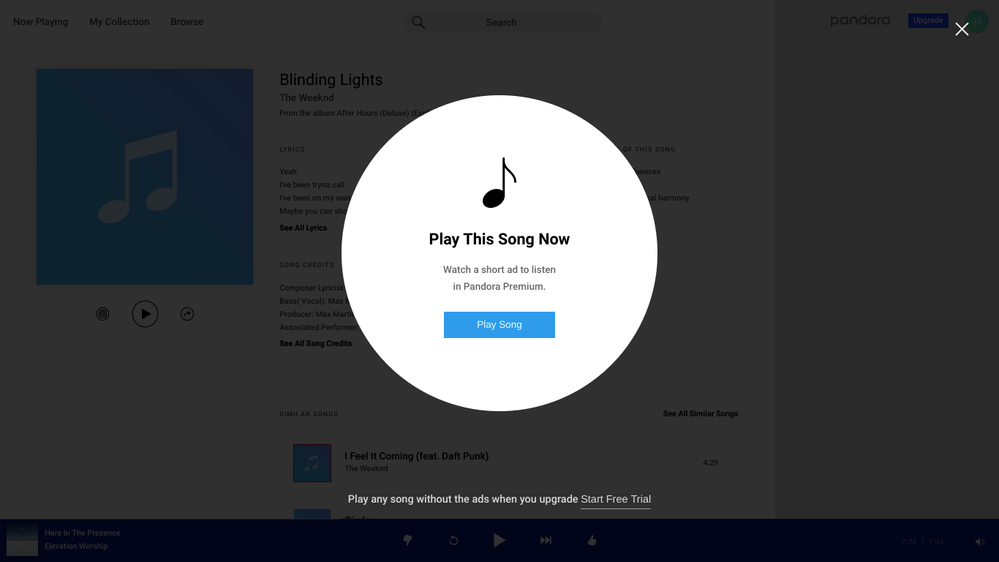
Are you able to take a screenshot of exactly what you see when you attempt to launch a Premium session from your computer? I can send over steps to capture a screenshot if needed.
Let me know. 🎧
Alyssa | Community Manager
Join the discussion in Community Chat
Your turn: This or That: November 2026
Check out: Pandora for Creators Community
6 Replies
- Mark as New
- Bookmark
- Subscribe
- Mute
- Subscribe to RSS Feed
- Permalink
- Report Inappropriate Content
Hi there, @hunter2. 👋
Are you hitting your Premium Session limit?
Do you receive any error messages when this happens?
Are you able to take a screenshot of exactly what you see when you attempt to launch a Premium session from your computer? I can send over steps to capture a screenshot if needed.
Let me know. 🎧
Alyssa | Community Manager
Join the discussion in Community Chat
Your turn: This or That: November 2026
Check out: Pandora for Creators Community
- Mark as New
- Bookmark
- Subscribe
- Mute
- Subscribe to RSS Feed
- Permalink
- Report Inappropriate Content
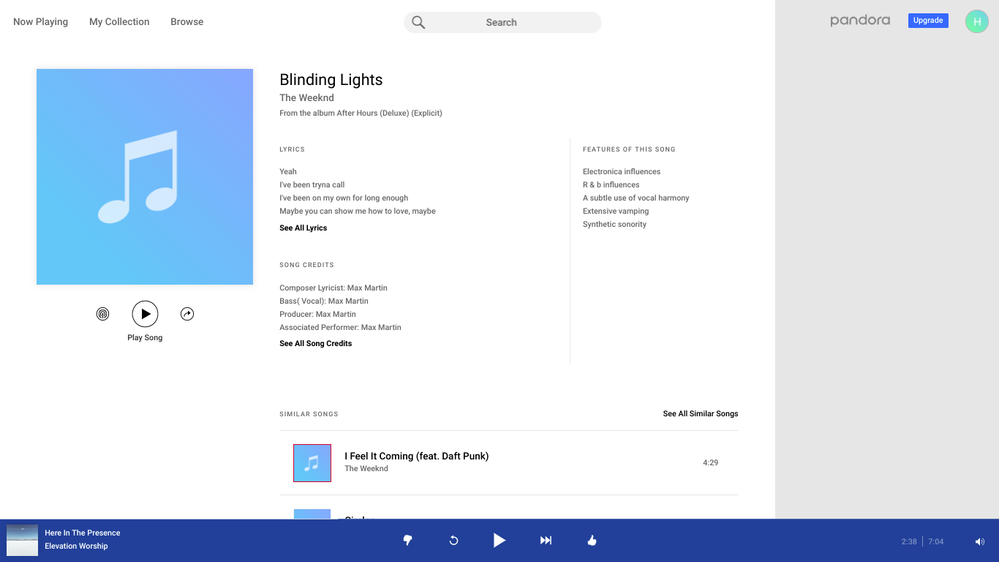
No I haven't hit my limit at all, it just does nothing When I click on play song (screenshots uploaded)
- Mark as New
- Bookmark
- Subscribe
- Mute
- Subscribe to RSS Feed
- Permalink
- Report Inappropriate Content
@hunter2 Have you tried using an alternate web browser?
If not, could you try and let me know if the same issue occurs?
Thanks for sticking with me on this. 🎧
Alyssa | Community Manager
Join the discussion in Community Chat
Your turn: This or That: November 2026
Check out: Pandora for Creators Community
- Mark as New
- Bookmark
- Subscribe
- Mute
- Subscribe to RSS Feed
- Permalink
- Report Inappropriate Content
Cannot access a different browser because i'm on a school computer.
- Mark as New
- Bookmark
- Subscribe
- Mute
- Subscribe to RSS Feed
- Permalink
- Report Inappropriate Content
Thanks for clarifying, @hunter2. There may be a block for this on your computer. Some anti-virus software like Kaspersky can have anti-banner settings enabled that behave similarly to ad blockers.
If you're using Kaspersky software, identify the version you have installed and follow their instructions on how to disable that feature:
It also sounds like you're using a Chrome web browser to stream Pandora, you can also try running through these steps to see if it helps: Chrome Troubleshooting
Alyssa | Community Manager
Join the discussion in Community Chat
Your turn: This or That: November 2026
Check out: Pandora for Creators Community
- Mark as New
- Bookmark
- Subscribe
- Mute
- Subscribe to RSS Feed
- Permalink
- Report Inappropriate Content
Sorry it's been so long. I was on quarantine, apologies for the waiting, and thank you I will try this!
